
1. Autentifică-te în contul tău cPanel.
2. În secțiunea "Security", apasă pe pictograma "Two-Factor Authentication".

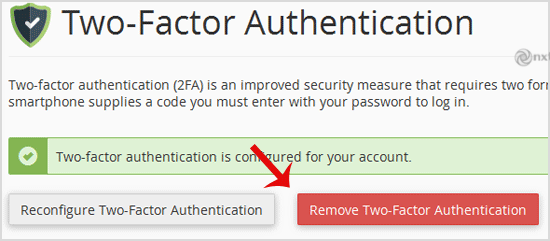
3. Apasă pe butonul "Remove Two-Factor Authentication".
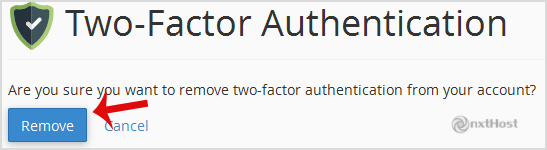
4. Pentru confirmare, apasă pe "Remove".
Vei vedea un mesaj precum "Success: The system removed the two-factor authentication from your account".